What Are the Top Workspace Flow Optimization Tips?
A productive workspace should guide attention, not quietly compete for it. Workspace flow optimization examines how people move, decide, communicate, and recover during a normal workday. It connects desk placement, digital tools, storage, lighting, meeting habits, and task visibility. The goal is not a perfect office. It is a workplace that removes repeated friction.
David Allen, productivity expert and creator of the Getting Things Done method, offers a useful principle: “You can do anything, but not everything.” His words apply directly to workspace design. Every visible object, notification, and unnecessary handoff consumes limited attention. A printer placed across the room may encourage movement, yet it may also interrupt focused work. A shared folder can improve access, but poor naming can create daily confusion.
Effective optimization starts with observation. Track where tasks pause, where people search, and where conversations repeatedly break concentration. Then test small changes, such as placing frequently used tools within reach or creating a clear zone for deep work. Measure results through completion time, interruptions, error rates, and employee feedback. Numbers matter, but they do not explain everything.
Some recommendations will fail. That is normal. A quiet zone may feel isolating, and an open layout may support collaboration while increasing noise. Workspace flow optimization must therefore remain practical, measurable, and adjustable. The following tips explore proven improvements while acknowledging an uncomfortable truth: the best workspace on paper may not suit the people using it.
Understanding Workspace Flow and Its Impact on Productivity
Workspace flow is the sequence people follow from arrival to focused work, collaboration, and recovery. When that sequence feels natural, productivity improves because less energy is spent searching, walking, or switching tasks. A 2023 global work-trend report surveyed 31,000 employees across 31 countries. It found that 68% struggled with uninterrupted focus, while 62% spent too much time locating information. These figures show that flow is not only about attractive furniture. It depends on reducing friction.
Map the day before changing the room. Place frequently used tools within one arm’s reach. Keep meeting areas away from quiet desks. Create a visible path for movement, but avoid placing traffic behind a person’s screen. Use clear labels for shared equipment and store cables in simple, reachable channels. A 2024 workplace design survey reported that employees valued spaces supporting both concentration and collaboration, rather than one fixed layout. Flexible zones matter. However, flexibility can become clutter. I still get this wrong. Too many choices can slow decisions. Test one change for two weeks, then measure interruptions, unfinished tasks, and time spent searching. Ask employees what actually happened, not what they expected. Small observations often reveal more than a polished floor plan.
Assessing Your Current Workspace Layout and Daily Movement
Before changing furniture, observe how the workspace actually supports your daily movement. Spend one ordinary workday tracking every repeated action. Note when you stand, reach, turn, bend, or leave the room. A simple hand-drawn map can reveal wasted steps. Measure walking distances between your chair, storage, power outlets, and work surfaces. Even a few extra steps can create fatigue over several hours. If a chair repeatedly blocks a drawer, record that friction instead of ignoring it. Small interruptions matter.
Track movement patterns during focused work and routine tasks. Count how often you reach across the desk for tools, documents, or water. Separate necessary movement from movement caused by poor placement. Frequently used items should stay within comfortable reach, while rarely used materials can move farther away. Keep walkways clear, especially near doors and shared equipment. Ergonomic guidance also recommends checking monitor height, elbow position, and foot support together. A good layout is not only tidy; it reduces awkward postures.
Test one adjustment at a time for several days. Moving everything at once makes results difficult to judge. I prefer taking short notes after each work session, although I sometimes forget. That weakness affects the accuracy of my observations. Review the notes for patterns, not isolated discomfort. Ask whether the new arrangement saves effort without creating another problem elsewhere. A shorter reach may increase twisting. A clearer desk may reduce access to essential materials.
Creating Efficient Zones for Focused and Collaborative Tasks
What Are the Top Workspace Flow Optimization Tips?
Creating Efficient Zones for Focused and Collaborative Tasks
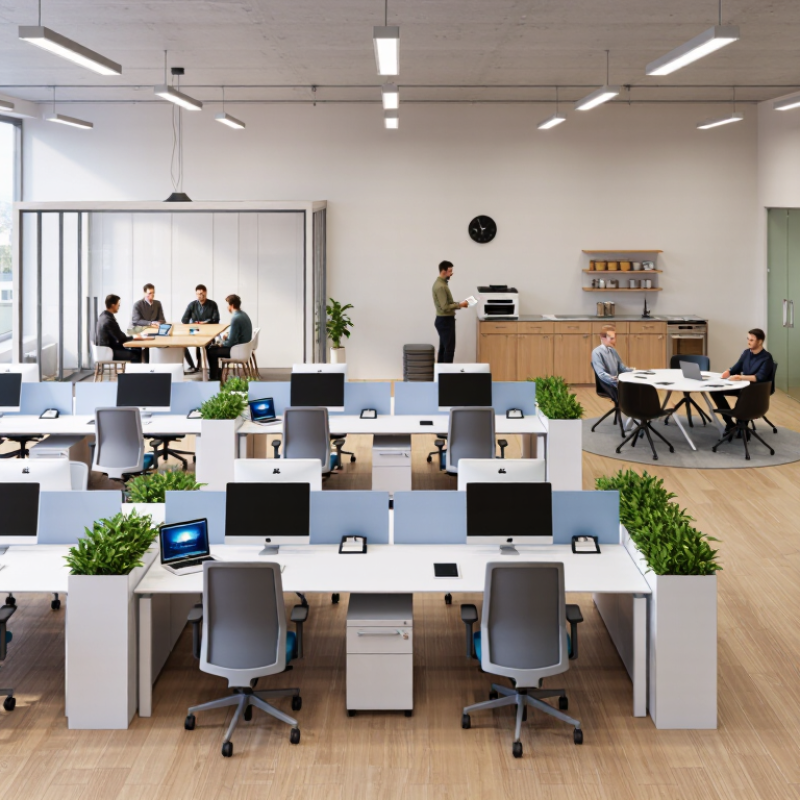
A productive workspace works better when each area has a clear job. During a recent layout review, I noticed people crossing a quiet desk area to reach shared supplies. That small conflict caused repeated interruptions. I moved storage near the collaboration table and placed focused desks beside a wall. The traffic became calmer within one afternoon.
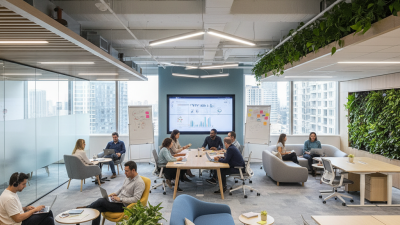
Create a focused zone with consistent lighting, minimal visual clutter, and comfortable seating. Keep only essential tools within arm’s reach. A small tray can hold notebooks, pens, and daily documents. For collaborative work, use a separate table with movable chairs, a writable surface, and accessible power. Leave enough space for people to enter without squeezing past seated colleagues. Clear boundaries help teams switch activities without rearranging the whole room.
Flow needs testing. Track where people pause, turn back, or search for equipment. These details reveal problems that a floor plan may hide. I once placed a printer too close to a discussion table. It seemed convenient, but the noise disrupted conversations. Moving it farther away improved the room, though access became slightly slower. That trade-off still required review. Measure comfort, interruptions, and task completion over several days, then adjust one feature at a time. Perfect zoning is rarely achieved in one attempt.
Reviewing and Refining Workspace Flow for Long-Term Efficiency
Reviewing workspace flow starts with watching real behavior, not trusting a floor plan. For one week, note where people pause, turn back, or search for supplies. Small delays often reveal larger design problems. Track daily. Morning traffic may differ from afternoon movement. Keep a simple log with time, task, location, and interruption. I have found that repeated “quick” trips can consume more time than planned meetings. That assumption deserves checking.
Refine the layout around frequent tasks, while protecting clear walking paths and comfortable reach distances. Place shared tools near the point of use, but avoid creating crowded corners. Test one change for several days before making another. Ask users to describe what feels easier and what still feels awkward. Their comments provide useful evidence, especially when observations conflict. Measure completion time, unnecessary steps, and interruption frequency. Numbers help, though they do not explain every frustration. A quieter desk may improve focus but reduce informal communication.
Long-term efficiency needs scheduled reviews, not a single redesign. Recheck the workspace after staffing changes, new equipment, or altered work patterns. Remove rarely used items from prime zones. Label storage clearly. Leave enough flexibility for unexpected tasks. Some experiments will fail. That is valuable information, not wasted effort. Record why a change failed, then adjust the flow rather than defending the original idea. Even a well-designed workspace can drift into clutter when no one owns its upkeep.